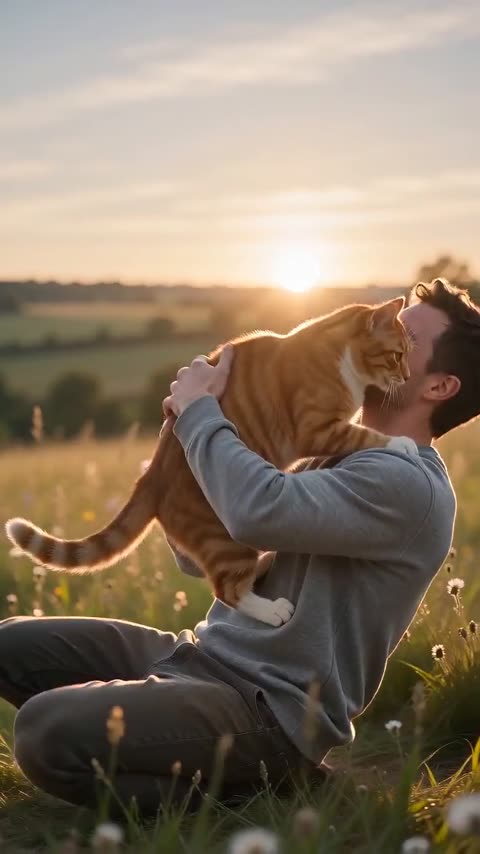
The photo checklist
The model reads a face before it reads anything else. A photo that makes the face easy to read is the single biggest improvement you can make. Run both photos through this list before you upload:
- One face per photo. A group photo gives the model two possible subjects, and it may choose the wrong one.
- Front-facing. Both eyes visible, nose and mouth clear. A side profile loses likeness as soon as the character turns.
- Even daylight. Soft, flat light is better than a hard flash, a strong window behind the subject or a dark room.
- Nothing over the face. No sunglasses, masks, a cap pulled low, hair across the eyes or a hand on the cheek.
- No heavy beauty filters. The model copies the face in the file. A smoothed, reshaped face produces a smoothed, reshaped character.
- Sharp, not blurry. A phone photo is fine if the face is in focus. A tiny face in a wide shot is not.
- One person per photo. For a couple, use two separate photos: one for the survivor, one for the person who turns.
Why each rule matters
The video has two halves: a cold present and a warm memory. The same two faces have to survive both. The model is not retouching a single frame; it is generating a moving scene, so it needs a stable reference for the face, the hair and one recognisable detail.
A front-facing photo gives it the most information about the eyes, the jaw and the shape of the head. Even light keeps the skin tones consistent. A clean face without a filter gives it real texture to carry into the memory. When any of those are missing, the model fills the gap with something plausible — which is how a face starts to drift.
A fixed detail helps: a necklace, a collar, a hoodie, a particular hairstyle or a pair of glasses worn normally. The memory half can keep that detail while the skin becomes healthy again. It gives the viewer a thread between the two halves.
Phone photos are fine
You do not need a studio. A modern phone photo taken in daylight, at eye level, is usually enough. Stand near a window or step outside on an overcast day; both give softer light than a flash.
If the photo is very large, the browser resizes it before the upload. You do not need to crop it yourself, but a half-body shot often works better than a tight close-up because it carries the outfit into the video. The face still needs to be large enough to read.
Pet photos
For a dog or cat, the face and the fur markings are the identity. Use a sharp photo where the eyes are visible and the coat colours are clear. A collar or tag is a useful recognition detail for the moment the survivor realises who it is.
- Choose a photo where the pet is facing the camera, not turning away.
- Avoid a dark animal on a dark background if you can; the fur detail disappears.
- Keep the whole head in frame. A crop that cuts off an ear or an eye makes the likeness harder.
- A plain background helps the model separate the pet from the room.
The model keeps the fur colours and markings as far as the render allows. It does not promise a perfect breed match or a perfect copy of every marking.
Common mistakes and fixes
| Mistake | What happens | Fix |
|---|---|---|
| Side profile | The likeness drops when the character turns toward the camera | Use a front-facing photo with both eyes visible |
| Sunglasses or a mask | The model cannot read the face and invents the missing part | Use a photo with the face uncovered |
| Two people in one photo | The model may pick the wrong person or merge them | Use two separate photos, one person each |
| Heavy beauty filter | The result looks plastic or like a different face | Use the original, unfiltered photo |
| A tiny face in a wide shot | There is not enough detail to keep the likeness | Crop closer or take a new photo |
| Hard flash or backlight | The face is blown out or lost in shadow | Use even daylight or a soft indoor light |
A quick pre-upload check
Before you upload, look at each photo on your phone at full size and ask five questions:
- Can I see both eyes without zooming in?
- Is the face lit evenly, with no hard shadow across it?
- Is there only one person in the frame?
- Is the face sharp, without motion blur?
- Is this the original, or has a filter already changed the face?
If any answer is no, change the photo now. It is faster than waiting for a render and trying to fix the result.
FAQ
Can I use a photo of a friend or family member?
Only if that adult has agreed to appear. Do not use celebrities, public figures, minors or strangers. You are responsible for having the right to use the photos you upload.
Will my pet still look like my pet?
The model keeps the face, fur colours and markings as far as the render allows. A sharp, front-facing photo gives it the best chance. It is a fresh generated take, not a cutout of the original photo.
Do I need the same lighting in both photos?
It helps, but it is not required. Even light in each photo matters more than matching the two exactly. The model relights the scene.
What if the photo is old or low resolution?
It can still work if the face is clear and sharp. A blurry or very small face is the problem; the age of the photo is not. If the face is soft, choose another photo before spending credits.